In order to add a course (free or paid) to your profile, you’ll need an account. If you don’t have one, you can create an account here.
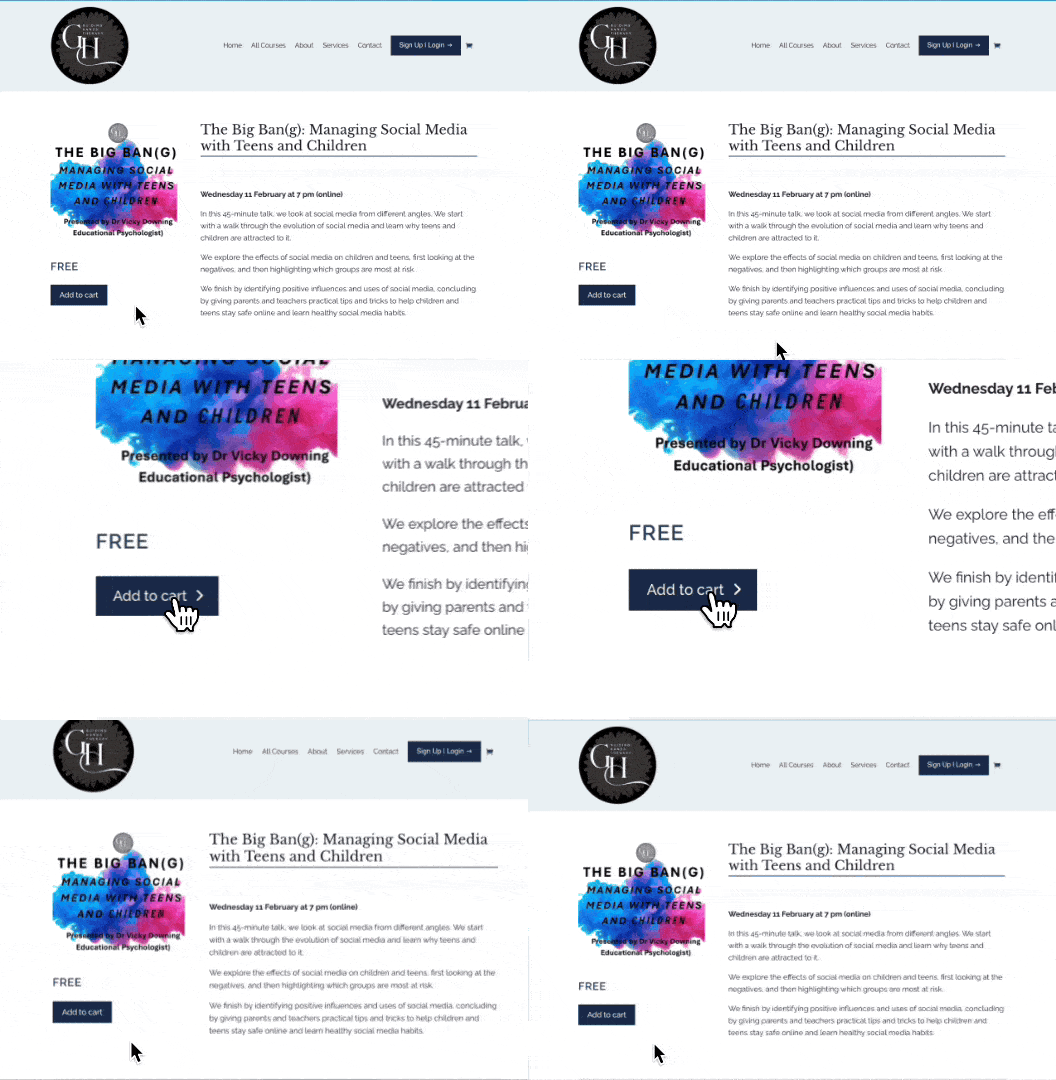
Step 1:
On the course product page, add the course to your cart.
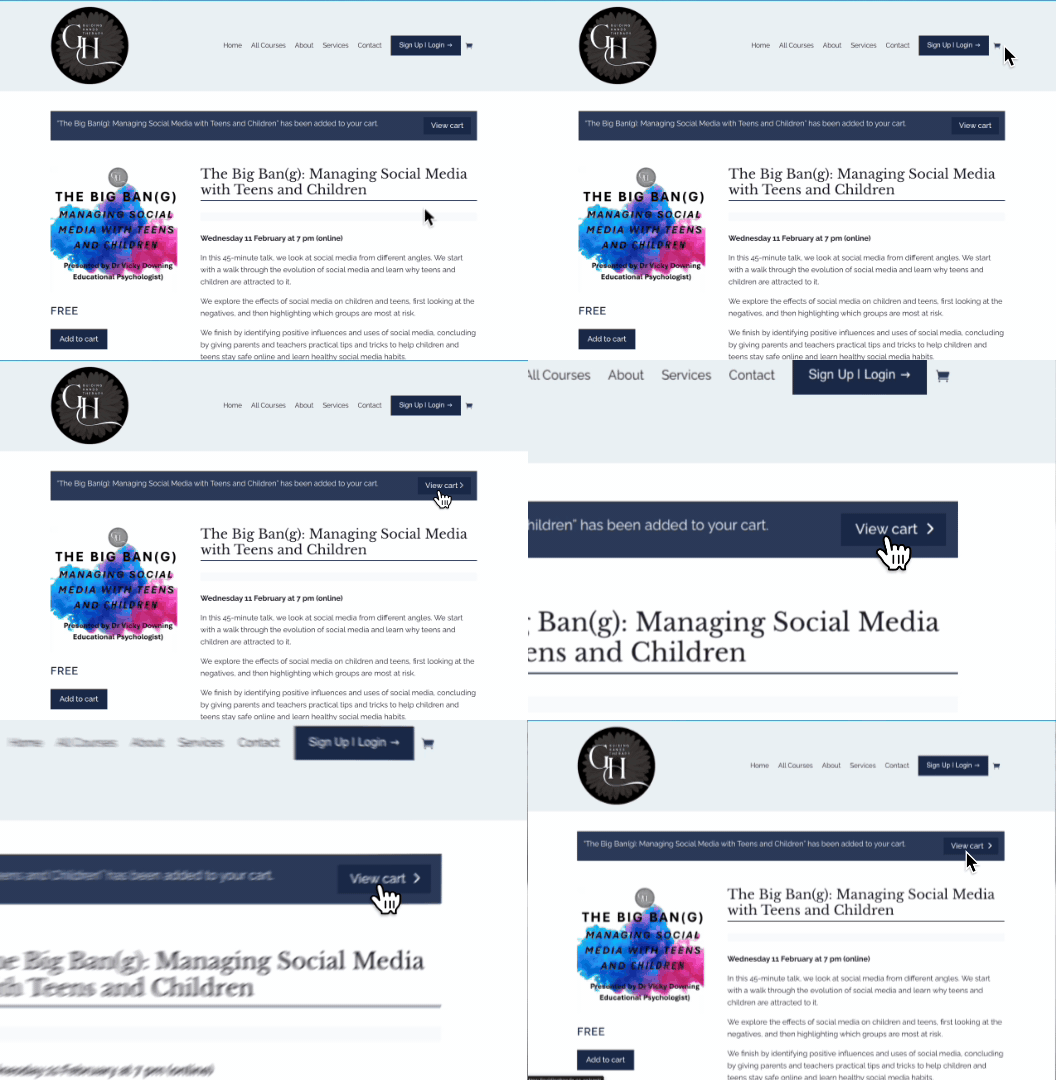
Step 2:
Navigate to your cart via the Cart icon in the top menu, or select View Cart on the pop up after you have added the course.
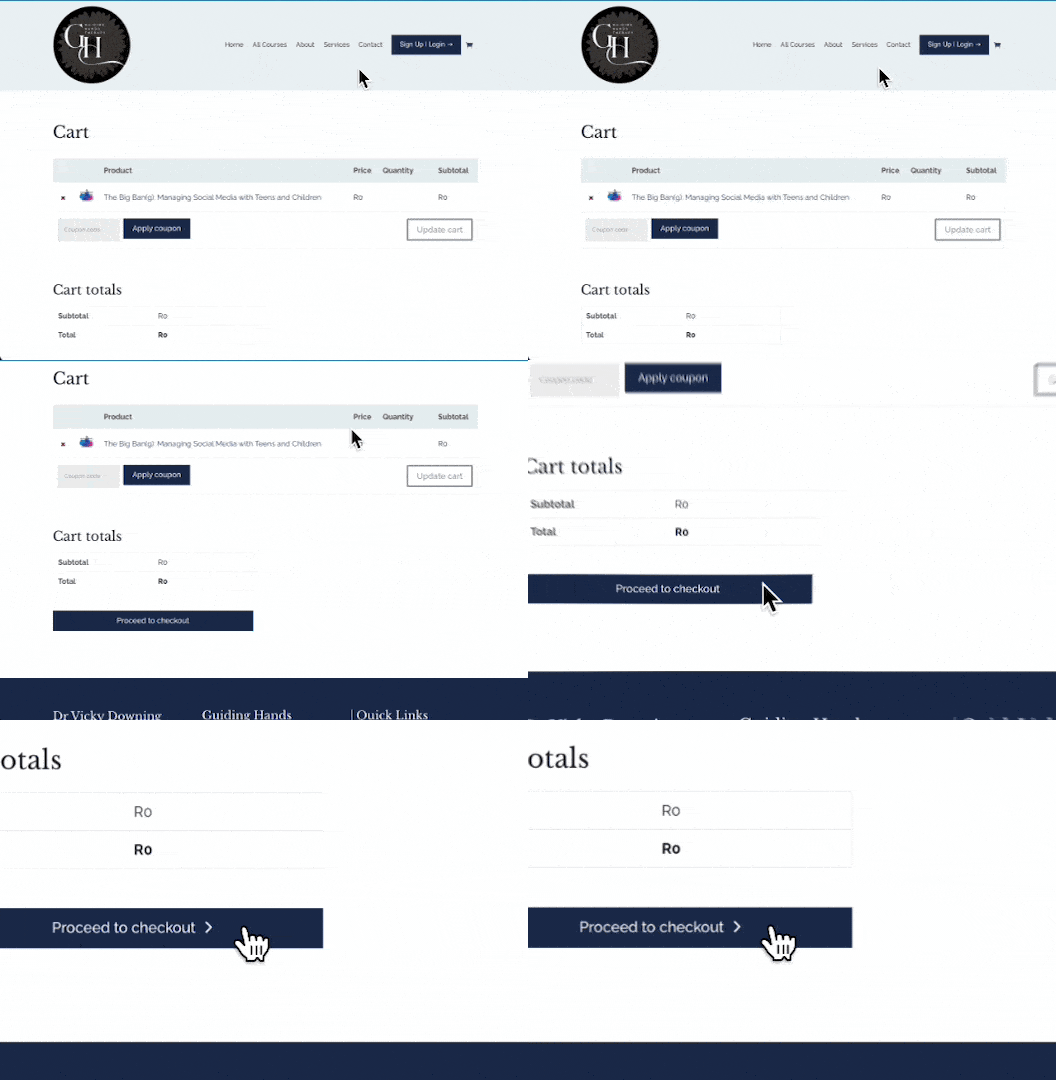
Step 3:
Once on the Cart page, scroll to the bottom and select Proceed to checkout.
Step 4:
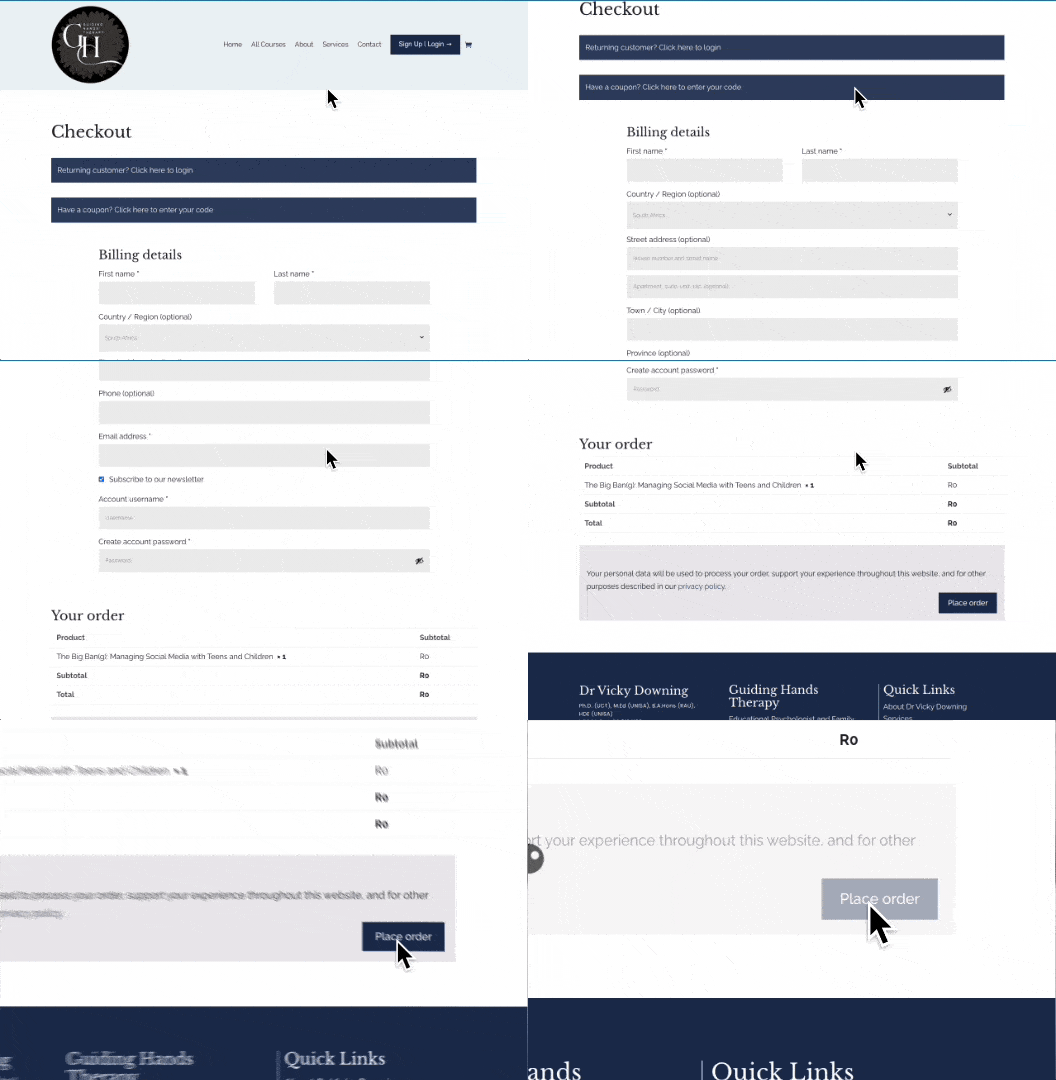
Once on the Checkout page, scroll to the bottom and select Place order.
No payment details will be required for Free courses.
Done!
Your course will now be available in the My Courses account section. You can find the button for that in the top right main menu.